Fast answer
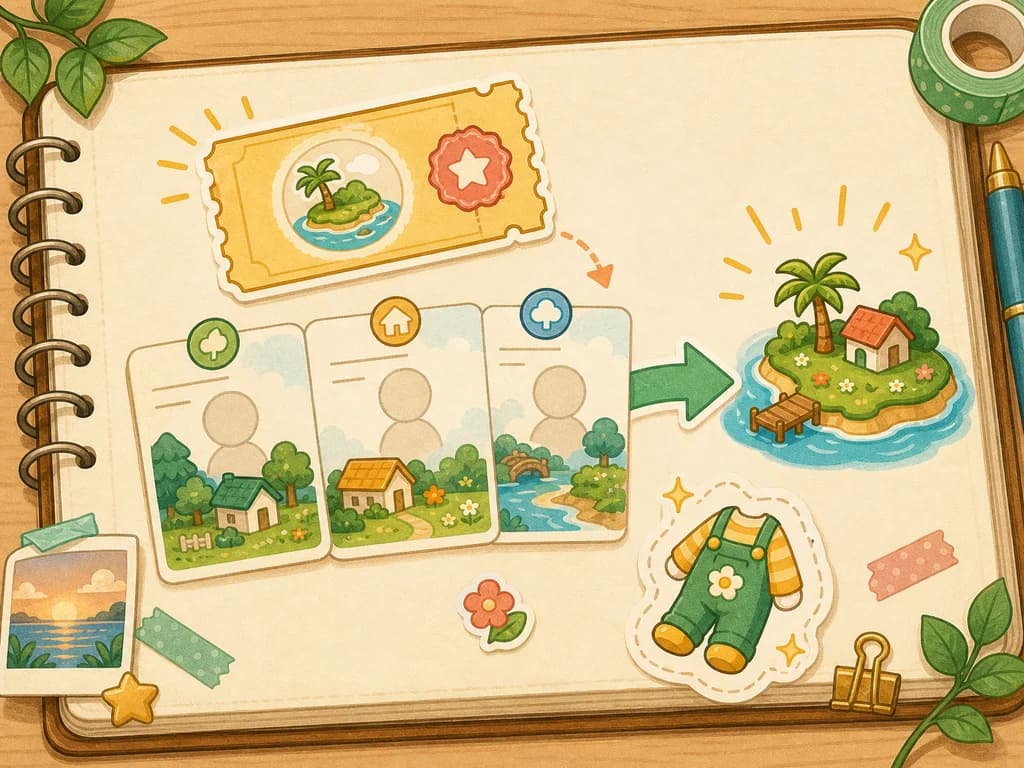
Yes, demo save data transfers to the full game after purchase according to Nintendo's launch news. That makes the demo the safest first step if you are unsure whether Tomodachi Life: Living the Dream fits your play style.
Do not overread the promise. Nintendo publicly says save data transfers; it does not publish a detailed item-by-item transfer table on the pages listed here. Treat the demo as a starter save, then keep the same user profile and confirm official store details before buying.
| Question | Answer | Player action |
|---|---|---|
| Does demo save transfer? | Yes. Nintendo says demo save data can transfer after purchase. | Keep the demo save and buy through official Nintendo/eShop channels. |
| How many Miis in the demo? | Nintendo says you can create three Mii characters. | Use three distinct Miis to test the creator. |
| Is the Hamster Costume exclusive? | Nintendo says it can also become available in the main game through regular play. | Do not play the demo only from fear of missing it forever. |
| Does every user share one island? | No. Nintendo Support says each system user has one save file. | Start the demo on the user who should own the island. |
| How much space should I check? | Nintendo Store lists 6.3 GB for the full game. | Leave extra room before purchase and transfer. |
Before you start the demo
This checklist matters more than a generic demo description. It prevents the most common transfer problems before they exist.
- Choose the system user who should own the island, especially on a shared family console.
- Open the official Nintendo Store or eShop for your region and confirm the demo and full game appear under the same software listing.
- Make sure the console has enough storage for the demo now and about 6.3 GB plus spare room for the full game later.
- Create three Miis that test different needs: one main avatar, one familiar person, and one original or exaggerated character.
- Keep the demo save until after you have purchased the full game and confirmed the full game sees it.
- Use the demo to judge Mii creation and pacing, not the full island scale.
What carries over
Nintendo's public wording is save-data level, not a granular checklist. A careful guide should not claim a specific hidden inventory table unless it has current official or controlled in-game proof.
| Demo element | What to expect | How to treat it |
|---|---|---|
| Demo save data | Nintendo says it can transfer after purchase. | Treat it as the core transfer promise. |
| Three created Miis | Nintendo says the demo lets you create three Miis as part of the save experience. | Expect them to be part of your starter island, but keep the save until you see them in the full game. |
| Hamster Costume | Nintendo says completing the demo awards it; it can also appear through regular full-game play. | Use it as a nice early reward, not as a demo-only item. |
| Full 70-Mii island | Nintendo Support says the full game supports up to 70 Miis. | Do not judge the full roster scale from the demo. |
| Every item or future unlock | Not itemized in official pages. | Avoid guides that promise a complete item-by-item transfer list without proof. |
Transfer checklist after purchase
Use this sequence after buying the full game. It keeps the action focused and avoids accidental profile or save mistakes.
- Use the same Nintendo Switch system user that played the demo.
- Confirm the full game is installed and updated before opening it for the first long session.
- Do not delete the demo save data before the full game has recognized or imported it.
- Check that your first three Miis and island state appear as expected before creating many new Miis.
- After the save is confirmed, continue with the beginner guide instead of filling the island immediately.
- If the transfer prompt or save does not appear, stop and check the user profile before starting over.
Transfer-safe workflow
Follow this workflow when the demo matters to you. It turns the official save-transfer promise into a low-risk sequence you can check before creating a large island.
| Step | Do this | Do not do this |
|---|---|---|
| 1 | Start and finish the demo on the system user who should own the island. | Do not let a sibling or parent profile create the save by accident. |
| 2 | Keep the demo save present after purchase until the full game confirms it. | Do not remove the save early just to clean up storage. |
| 3 | Open the full game from the same system user before creating extra residents. | Do not start a fresh island on a different user and assume it will see the demo island. |
| 4 | Check the first three Miis, island state, and Hamster Costume expectation before continuing. | Do not fill the island until the starter save looks correct. |
| 5 | After confirmation, move to the beginner guide and grow the roster gradually. | Do not judge the full 70-Mii game from the demo's three-Mii limit. |
Demo vs full game
The demo is useful because it answers fit questions. It is not a complete review of the full game.
| Area | Demo | Full game |
|---|---|---|
| Mii count | Nintendo says up to three Miis. | Nintendo Support says up to 70 Miis. |
| Save ownership | Belongs to the system user running the demo. | Nintendo Support says each system user has one separate save file. |
| Buying decision | Tests creator, tone, and early island routine. | Expands into the full island, facilities, relationships, and longer routines. |
| Hamster Costume | Awarded after completing the demo. | Nintendo says it can also appear through regular play. |
| Storage planning | Small starter experience. | Nintendo Store lists 6.3 GB for the full game. |
Buy now or keep testing
Use this table when the transfer works in theory but you are still deciding whether the demo answered enough. The goal is to avoid buying because of a misunderstood reward or a rushed first island.
| Demo result | Best decision | Reason |
|---|---|---|
| You like the three Miis and want to keep them | Buy only after confirming the same user profile and storage. | The save-transfer value is highest when you care about the starter residents. |
| You only want the Hamster Costume | Do not buy for that reason alone. | Nintendo says the costume can also become available through regular full-game play. |
| You are unsure about the slow island rhythm | Keep testing before buying. | The demo is meant to answer fit, not just prove the save can carry forward. |
| A child used the wrong profile | Fix the profile issue before purchase. | Nintendo Support says each system user has a separate island and one save file. |
| You expected the full 70-Mii scale | Use the demo as a creator test, not a full roster test. | The demo starts with three Miis, while the full game supports up to 70. |
Troubleshooting
If the transfer does not look right, do not immediately create a new island. Check the simple causes first.
| Problem | Likely cause | What to check |
|---|---|---|
| Full game does not see the demo save | Wrong system user or save not present. | Return to the user that played the demo and confirm the demo save still exists. |
| Expected more than three Miis | The demo itself is limited. | Use the full game after transfer to expand toward the 70-Mii limit. |
| Hamster Costume concern | The demo reward was misunderstood as demo-only. | Nintendo says it can also appear through regular full-game play. |
| Unsure whether to buy | The demo may not have answered the fit question yet. | Play enough to judge creation, pacing, and humor before purchase. |
| Shared console confusion | Different users have separate islands. | Confirm the save owner before anyone else starts a parallel island. |
What this page will not claim
The page intentionally avoids unsupported file-access wording and unsupported transfer details. It should help you use official access safely, not act like a file page.
- No game files, packages, or unofficial access tools.
- No item-by-item transfer table unless Nintendo publishes one or the site later verifies it in-game.
- No claim that system users share one island.
- No claim that the demo proves the full island experience.
- No claim that the Hamster Costume is demo-only.
FAQ
Does Tomodachi Life: Living the Dream demo save data transfer?
Yes. Nintendo says demo save data can transfer into the full game after purchase.
How many Miis can I create in the demo?
Nintendo says the demo lets players create three Mii characters. The full game supports up to 70 Miis according to Nintendo Support.
Which user should play the demo?
Use the system user who should own the island. Nintendo Support says islands and save data are separate for each system user, with one save file per user.
Should I delete the demo after buying?
Do not delete the demo save before confirming the full game has recognized or transferred it. Verify the island first.
Is the Hamster Costume exclusive to the demo?
Nintendo says completing the demo awards a Hamster Costume, but it can also become available in the main game through regular play.
Does the demo show the full game?
No. The demo is best for testing Mii creation, tone, and early pacing. It does not represent the full 70-Mii island scale.
Where should I get the demo?
Use Nintendo Store or Nintendo eShop for your region. Avoid game files, unofficial access tools, or third-party packages.
What should I check before buying the full game?
Confirm the correct system user, current regional store price, supported language, enough storage for the 6.3 GB full game, and that you still have the demo save.
Can I start the full game on a different user and keep the demo island?
Do not assume that. Nintendo Support says each system user has a separate island and one save file, so the safest path is to open the full game from the same system user that played the demo.
Should I buy only to keep the Hamster Costume?
No. Nintendo says the Hamster Costume can also become available through regular full-game play, so the better reason to buy is that you want to keep expanding the island and starter Miis.
Reference notes
Source links for the facts used on this page.